
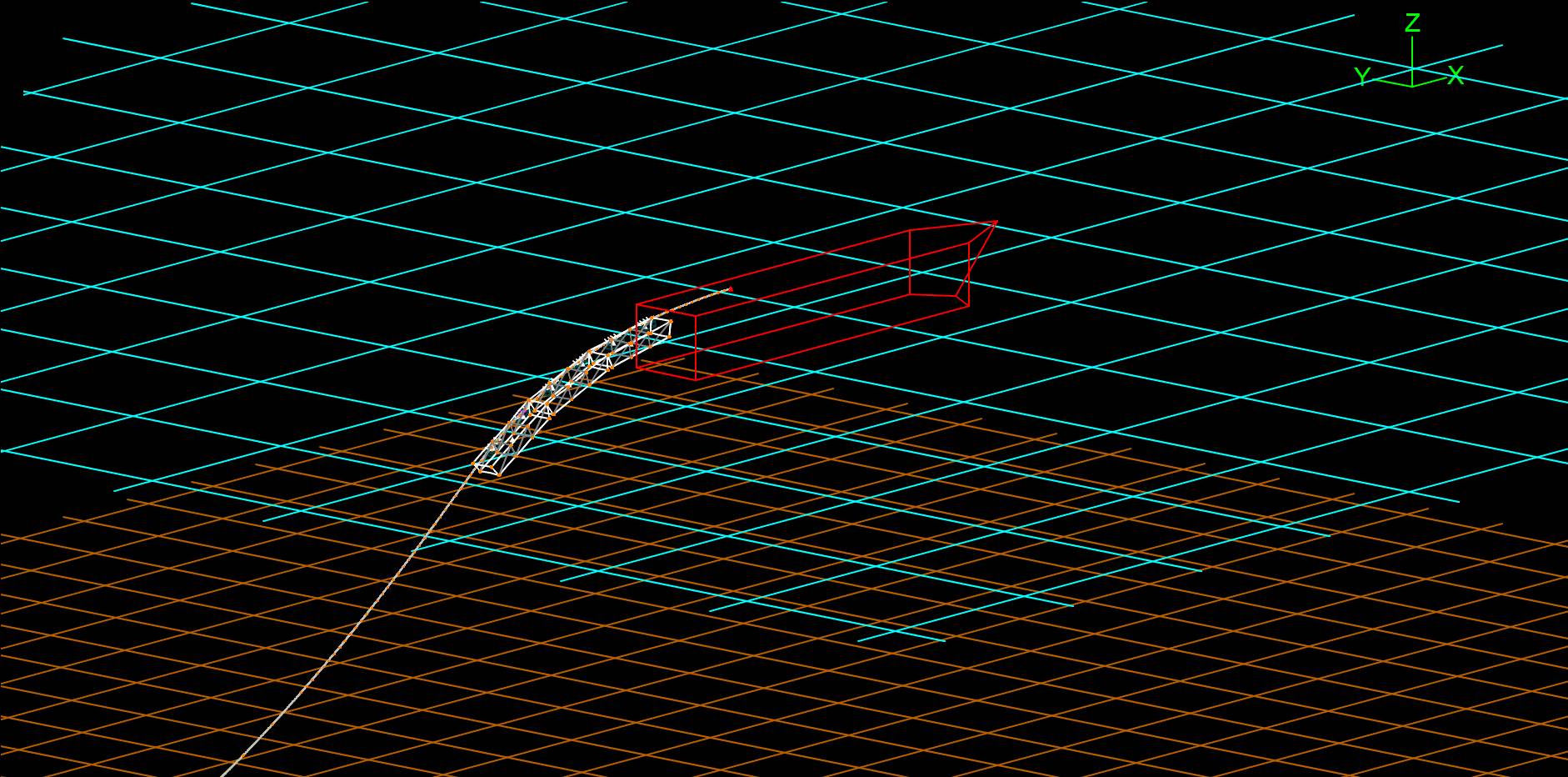
Wire frame 3D view
Shows an isometric projection of the model:
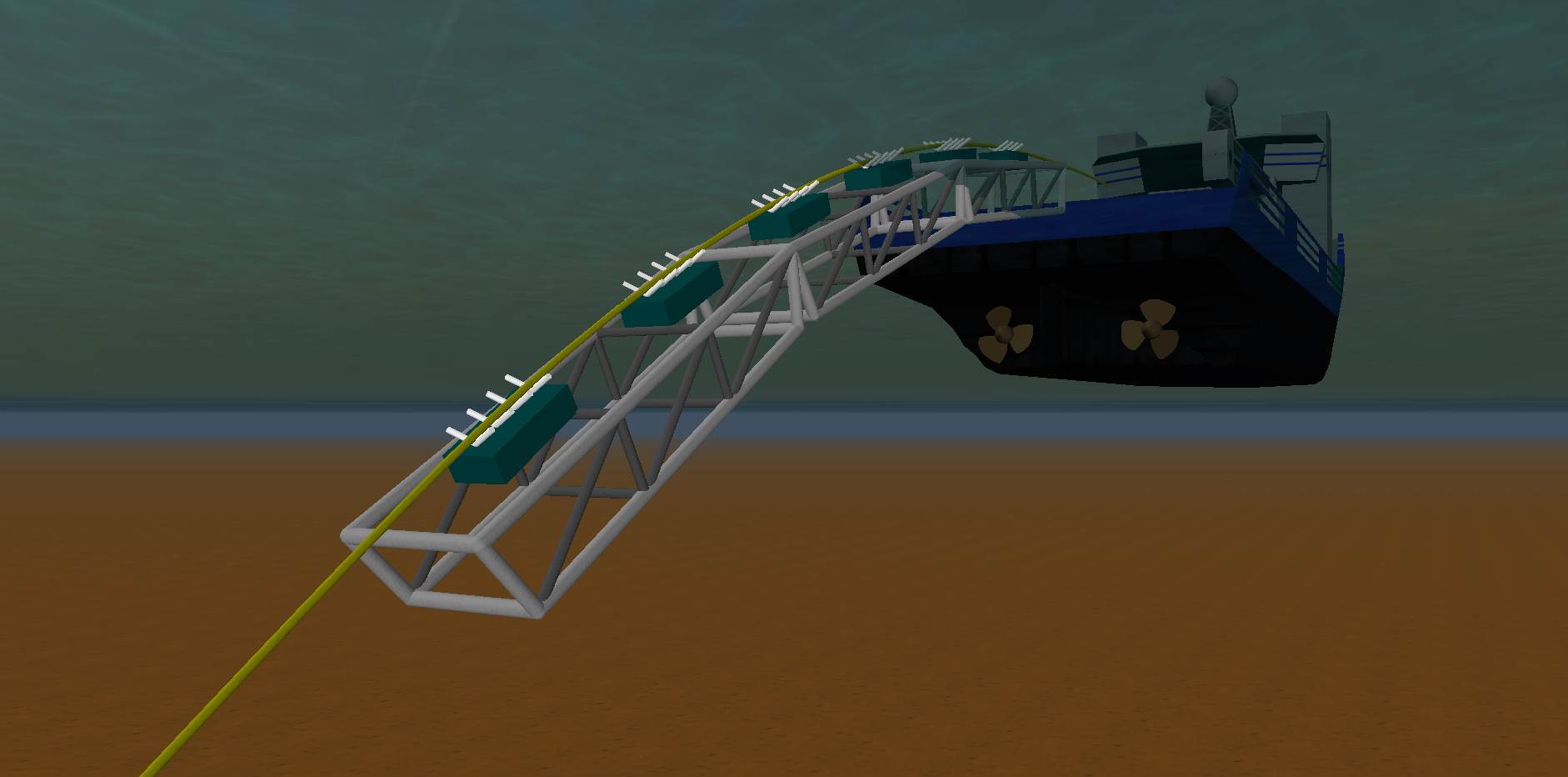
Shaded graphics 3D view
Solid objects with lighting, shading, perspective and hidden line removal:
There are further examples of both types of presentation on the OrcaFlex image gallery page.
Software and hardware requirements
To use the shaded graphics mode you must have DirectX 9 or later installed. Most modern machines will meet this requirement; otherwise the instructions on getting the latest version of Direct X can be found on the Microsoft website.
In addition you will require a DirectX 9 compatible graphics card. In our experience the most important factor to consider when choosing a card to work with the shaded graphics is the amount of memory. We would recommend using a card with 256MB or more.
It is also important to make sure that your computer’s graphics settings specify a colour mode of 16 bits (65536 colours) or better.
Notes:
If your machine’s graphics capabilities are insufficient then the shaded graphics mode may fail to function properly or indeed fail to function at all. For example, low quality, blocky images usually indicate a graphics card with insufficient memory. This problem can also manifest itself by failure to draw the sky which appears plain white.
For best results you should centre your model close to the global origin. The Move Selected Objects facility can help you do this.
Video export
OrcaFlex can export video files of replays in both wire frame and shaded views. When producing videos it is very important to use compression, otherwise the video file size becomes unreasonably large. The software that performs this compression is called a codec.
For wire frame replays OrcaFlex uses a built-in codec called run-length encoding. This codec is not suitable for shaded replays and in fact there is no suitable built-in codec in Windows. We would recommend using an MPEG-4 codec of which many are available. In our experience the freely available XVID codec performs very well.
The XVID codec can be downloaded here.
Once installed we recommend that you make the following minor configuration changes to the XVID encoder:
Set Target Quantizer to 2.00.
In Other Options on the Encoder page uncheck the Display encoding status setting.
The XVID encoder settings can be found in Start Menu | Programs | XviD | Configure Encoder. Should you wish to use a different codec you can select this from the OrcaFlex Preferences form.
Showing exported video in Microsoft PowerPoint
An XVID encoded AVI file (and possibly other codecs) added to Microsoft PowerPoint slides as a Movie Object may not play correctly (displaying a blank screen on replay, or the video only appearing in full screen mode). To avoid these problems, an XVID AVI file needs to be inserted as a Video Clip Object. This can be done in two ways:
Drag and Drop the AVI file onto the PowerPoint slide, or
From the PowerPoint menu, choose Insert | Object. Select ‘Create from file’ and Browse to your file (do not select the ‘Link’ option).
To set options such as auto repeat, right-click on the image in the slide, then select Video Clip Object | Open, this displays the video player window and menus. The Video Clip Object links to the AVI file (it is not embedded within PowerPoint) so the file location needs to be accessible when running the presentation. The computer running the presentation must also have the XVID codec installed.
Importing 3D models
OrcaFlex has the capability of drawing objects using detailed 3D models. For examples of this see the OrcaFlex screenshots page. We have supplied with OrcaFlex a very basic selection of generic models which you are free to use. However you may wish to use a detailed model of a project specific vessel, buoy, template etc. OrcaFlex can import Microsoft’s “.x” file format and also Wavefront “.obj” format files (introduced in OrcaFlex 10.0) which describe a surface mesh and sometimes material properties for such a model, for more information on OrcaFlex support for “.obj” files see below.
To produce a 3D model requires a specialist design package and there are many 3D design packages available, either CAD software that can export a mesh file for the design object or software dedicated to producing 3D images. Many of these packages can export a 3D model in the formats required by OrcaFlex, and if not they can be exported to another commonly supported interim format such as “.3ds” or “.stl”. You should be aware that the quality of these converters may not be consistent, and may not correctly reproduce your model from one file format to another. The table below is a list of common software that claim to be able to export 3D models to “.obj” format and some also to “.x” format. Note that we do not use these packages and so can offer no support in their use. Note also that this list is not exhaustive, and as 3D modelling software is constantly evolving, there may be new software we aren’t aware of which has the capability of exporting 3D models in the formats required by OrcaFlex.
Warning: If you are importing a 3D model into OrcaFlex you should make sure that it does not contain too much detail. Otherwise the drawing performance may be very poor. This is because there are limits to how much detail a graphics card can render efficiently. The largest model that we have provided is 350KB and we would recommend that you aim not to exceed this size significantly. You may need to reduce the level of detail of any existing 3D models before exporting them.
Commercial 3D modelling packages
| Product | Description |
|---|---|
| Maya | An Autodesk 3D animation and modelling package that supports import and export of a number of formats including ".obj". |
| 3D Studio MAX | Also owned by Autodesk, this 3D modelling package can export to ".obj" files. |
| Rhino 3D | A 3D modelling package which can import a number of formats including Autodesk formats (".dwg", ".dxf" and ".fbx"), IGES files (".iges", ".igs"), STEP files (".step", ".stp") and ".stl". Rhino 3D can export to ".obj" and ".x" formats. |
| Amabilis | Actually a free 3D modelling and animation package but export to ".x" and ".obj" formats requires the PRO version. In addition it is capable of importing AutoCad ".dxf" files and files from other CAD packages. |
| PolyTrans 3D | This software provides conversions from the majority of 3D CAD, DCC/Animation and VisSim file formats into the DirectX ".x" and Wavefront ".obj" formats. Okino will also handle any questions relating to the file format conversion. |
| SolidWorks 3D CAD | A 3D CAD package that can import and export to many file formats including Wavefront ".obj" format. |
| AutoCAD | AutoCAD can export to Autodesk's ".3ds" mesh format and then another application will be required to convert this to ".obj" or “.x” format required by OrcaFlex. |
| Inventor | A 3D CAD package that can import and export to many file formats including Wavefront ".obj" format. |
| Milkshape3d | Shareware 3D modelling package which can export to ".x" and ".obj" format. It is capable of importing AutoCad ".dxf" files, ".3ds" files and Maya files. |
| SketchUp | A 3D modelling package with a number of pricing options. Export to Wavefront ".obj" format requires the PRO version. |
| Siemens NX | Product development software that can import and export to many file formats including Wavefront ".obj" format. |
| MicroStation | 3D CAD and visualisation software that can import and export to many file formats including Wavefront ".obj" format. |
Free or Open Source 3D Modelling Packages
| Product | Description |
|---|---|
| Blender | Freely available rendering and animation package. Blender can import a number of common formats (including ".3ds", ".dxf", ".fbx" and ".stl") and export to Wavefront ".obj" and Direct X ".x" (using an included add-on). |
| Wings3D | An open source 3D modelling package which can export to ".x" and ".obj" format. It can import from AutoDesk ".3ds" and 3D Systems ".stl" files. |
| FreeCad | An open source 3D modelling package which can import a number of formats including Autodesk formats (".dwg", ".dxf" and ".fbx"), IGES files (".iges", ".igs"), STEP files (".step", ".stp") and ".stl". FreeCAD can export to ".obj" format. |
Support for Wavefront OBJ file format
The Wavefront “.obj” file format and the associated material file (“.mtl”) is a commonly used interchange format for 3D meshes and their properties. A description of the file specifications are here: OBJ specification and here: MTL specification. OrcaFlex supports a subset of these specifications that is sufficient for the requirements of rendering a 3D model in the shaded graphics view, details of the supported statements are described in the Importing 3D models help file topic. The “.mtl” file is optional, if no material file is used the object will be drawn in the pen colour defined in the Drawing tab for that object’s data in OrcaFlex.